
Procedure Page Redesign
Procedure Manager
Add and edit procedure information in your CRM to streamline online scheduling, maintain a centralized knowledge base, and improve lead tracking across your practice.
The Procedures (Reasons) list is a customizable master list that serves three critical functions across your practice management ecosystem:
How Procedure Manager Helps Your Practice
The Procedures list is a customizable master list that serves three critical functions across your practice management ecosystem.
Online Scheduling
This list provides patient-friendly names for appointment types available through online booking. Each procedure name represents a service offering that patients can easily understand and select (e.g., “Teeth Whitening Consultation” or “Invisalign Assessment”). These procedure names are then mapped to the corresponding appointment types in your practice management system, ensuring seamless scheduling integration.
Internal Knowledge Base (CRM Practice Info)
Your staff can access detailed information about each procedure within the CRM’s Practice Info section. This serves as a centralized digital resource where you can document important details including average costs, expected healing times, scheduling protocols, and procedural notes. This ensures consistent information is accessible to all team members in one convenient location.
Lead Source Mapping
When web forms include dropdown selections for procedures or areas of interest, matching entries from this list will automatically map to incoming leads. This creates structured data that enables accurate tracking and reporting on lead performance by procedure type, helping you understand which services generate the most interest.
⚠️ Important: Maintain Consistency
Maintaining consistency in procedure names across all three applications ensures proper mapping and data integrity throughout your system.
Step-by-Step Video Training
Follow along with our comprehensive video guide to master the Procedure Manager features and optimize your practice workflow.
Introduction to CRM Training
⏱️ Timestamp: 0:00Welcome to Red Spot Interactive’s CRM training series. This section focuses on adding and editing practice information specific to procedures in the updated CRM.
What You’ll Learn:
Overview of the New User Interface
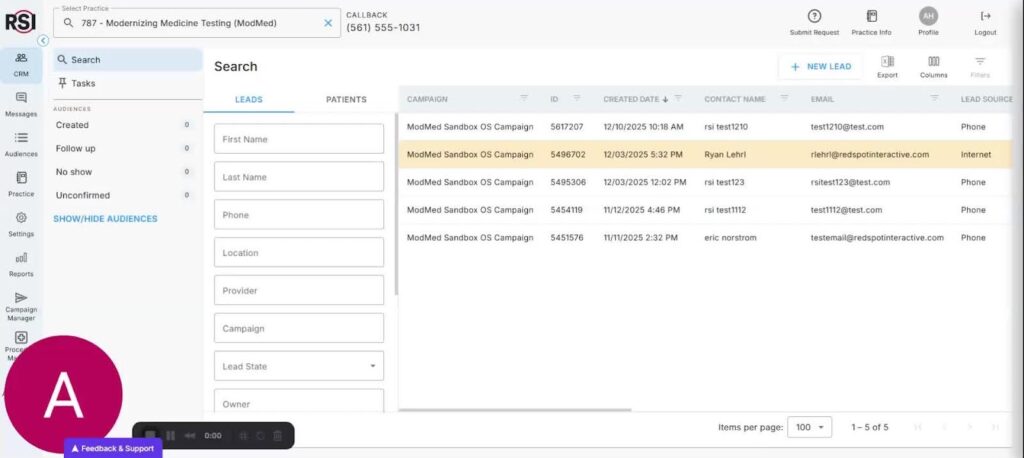
⏱️ Timestamp: 0:16The new CRM features a sleek user interface with streamlined features designed for faster and more intuitive workflow that saves time and reduces friction.
Watch SectionUnderstanding Practice Information System
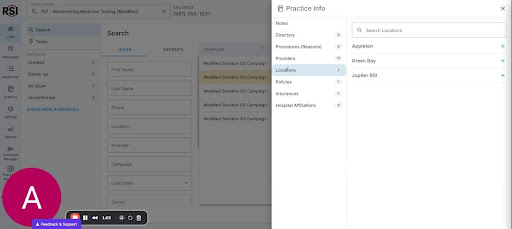
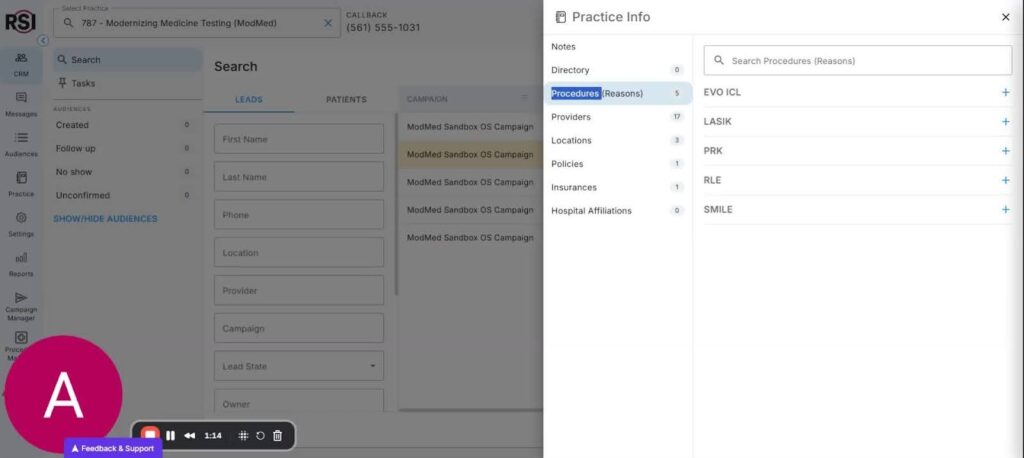
⏱️ Timestamp: 0:26Practice info is located on the right side of the CRM and serves as a digital file cabinet for your practice, containing provider details, staff directory, location details, and many other critical areas.
Watch Section
Definition of Procedures
⏱️ Timestamp: 1:04Procedures differ from appointment types – they represent the various services offered by the practice and provide the foundation for scheduling and tracking.
Watch SectionGoals for Procedures Section
⏱️ Timestamp: 1:15Learn about the three key goals: providing detailed information for team communication, integrating with online scheduling, and preparing for future AI tools.
Three Primary Goals:
Watch the Complete Training Video
Access the full walkthrough on Loom with all timestamps and detailed explanations.