Online Scheduling Portal Setup
Procedures
To view the procedures or purposes pulling in through the Nextech data sync, select the Procedures tab. This tab will be open by default, upon clicking on online scheduling.
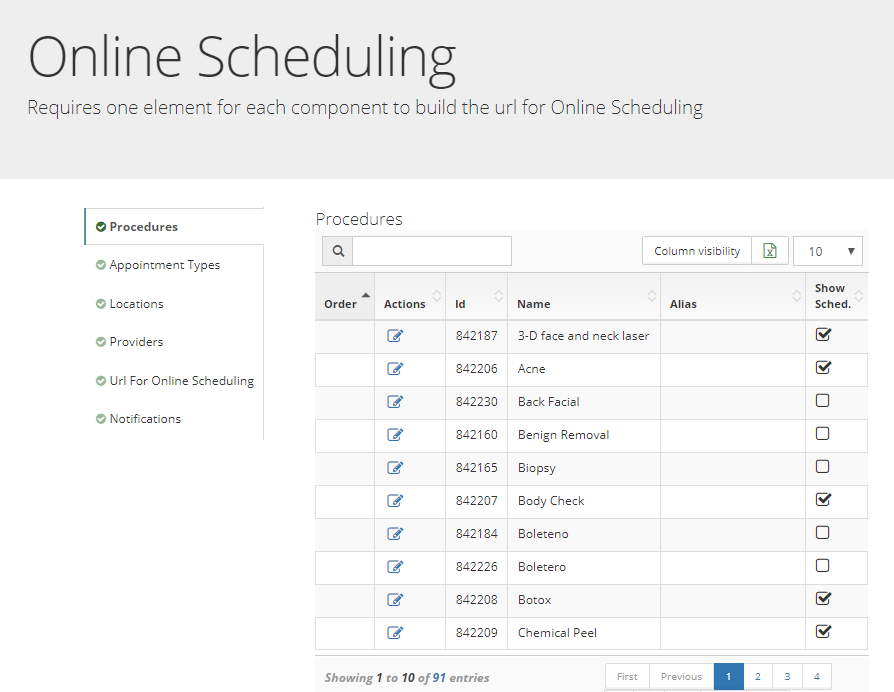
Enable Procedure for Online Scheduling
Select the square icon in the actions column next to the procedure, or purpose that you would like to display within online scheduling.
Appointment Types
To view the appointment types pulling in through the Nextech data sync, select the Appointment Types tab.

Enable Appointment Type for Online Scheduling
Select the square icon in the actions column next to the appointment type that you would like to display within online scheduling.
Locations
To view the Locations pulling in through the Nextech data sync, select the Locations tab.
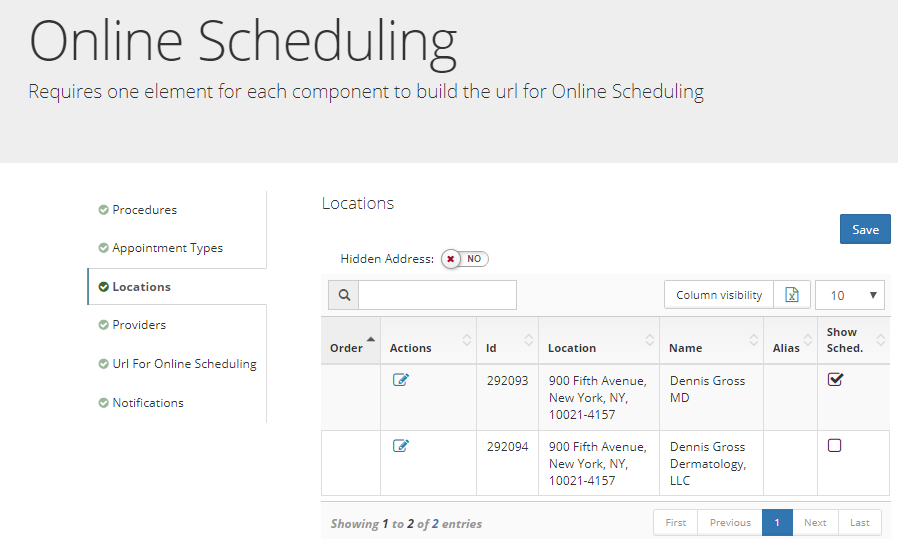
Select the square icon in the actions column next to the location that you would like to display within online scheduling.
Providers
To view the Providers pulling in through the Nextech data sync, select the Providers tab.

Select the square icon in the actions column next to the Provider that you would like to display within online scheduling.
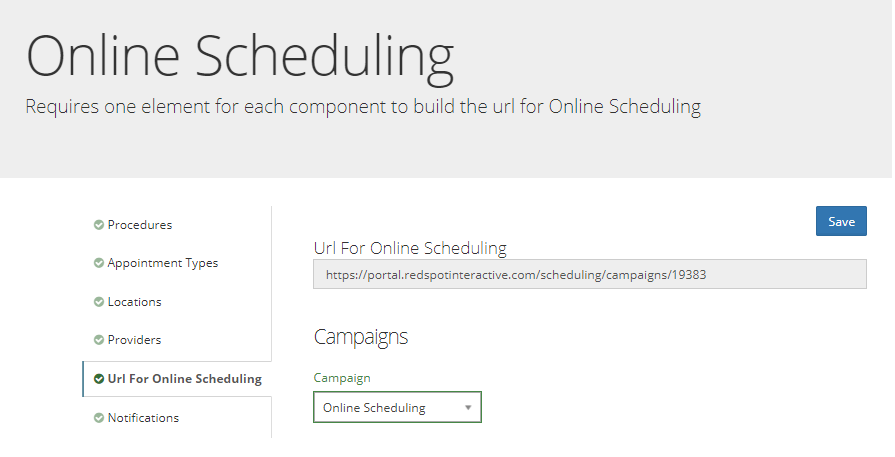
URL for Online Scheduling
To view the uniquely generated online scheduling url, select the Url for Online Scheduling tab.