
Patient Self-Scheduling Widget: Implementation Best Practices
Business Case for Online Self-Scheduling
Online self-scheduling represents a significant opportunity for medical practices to improve operational efficiency while enhancing patient satisfaction. Research and implementation data show several key benefits:
Improved Appointment Quality
- Higher show rates compared to staff-scheduled appointments
- Increased patient engagement and commitment to appointments
- Better preparation and documentation from patients
- Reduced scheduling errors due to direct patient input
Operational Benefits
- Decreased administrative burden on staff
- Reduced phone traffic for routine scheduling
- Lower costs per scheduled appointment
- More efficient allocation of staff resources
- 24/7 scheduling availability without additional staffing
Patient Experience Enhancement
- Convenience of scheduling at any time
- Greater control over appointment selection
- Immediate confirmation and reduced wait times
- Improved patient satisfaction and loyalty
- Better alignment with modern consumer expectations
Overview
The patient self-scheduling widget is a versatile tool that streamlines the appointment booking process. Its implementation can be customized based on page context to minimize clicks and optimize the user experience. This document outlines best practices for widget placement and configuration across different page types.
Key Placement and Call to Action
Effective conversion of visitors to scheduled patients relies on the prominent placement of the CTA’s that drive actions that result in fast and effective scheduling. This requires a website to place the emphasis on Direct Scheduling ability for visitors first, with click to call and phone call encouragement second. The prominent feature of Email as a contact method (Contact Us actions/buttons) encourages passive engagement from users that result in low conversions and high human resource costs. This should be avoided on a website.
-
Top of Page
- A clear CTA (call to action) for scheduling should be placed prominently at the top right or left of the website.
- CTA should never be placed below the fold or in the bottom portion of any page unless it is in addition to top placement
-
Bottom of Page
-
Contact Us Lead Forms
- Contact Us buttons or links should be placed in less prominent positions on the website to NOT INTERFERE or draw attention from the Scheduling CTA.
- Recommendations for CTA’s that request emails over phone calls or direct scheduling should be limited to the lower portions of pages, website footers and the Contact Us or Location pages.
-
Contact Us Lead Forms
Examples of Homepage Placement



Key Widget Configurations
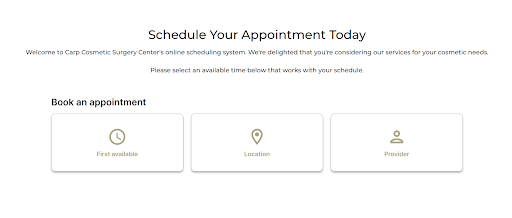
Homepage or Primary ‘Book Today’ Call to Action Implementation
-
Configure widget to display all scheduling options:
- First Available
- Provider
- Procedure
- Location
- Present full range of available procedures
- Optimize for quick access to earliest available appointments
- Take Consult Fee/Credit Card on file at time of booking.
Examples:
Provider Profile Pages
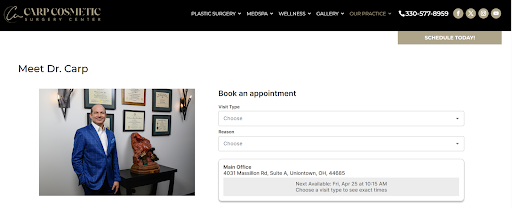
- Auto-configure widget to pre-select the specific provider
-
The widget needs to be applied at the top of the page next to the provider headshot and/or below the provider headshot.
- The widget needs to be above the CV if applicable.
- Displays only procedures offered by that provider
- Allow patients to select from provider’s available time slots

Procedure/Service Pages
-
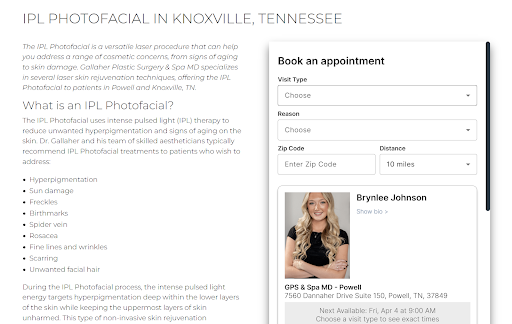
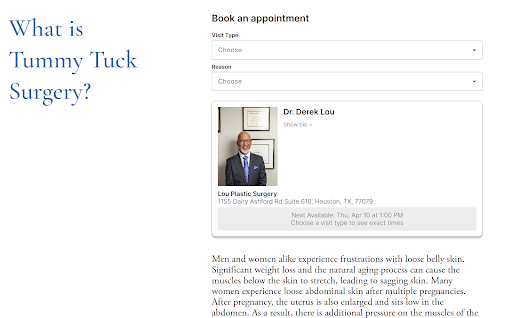
Auto-populate the selected procedure (e.g., “Acne Treatment”)
- The widget needs to be applied above the content and/or on the side of the content at the top of the page.
- First Available appointment for this procedure
- Select specific provider who performs this procedure
- Choose location where procedure is offered
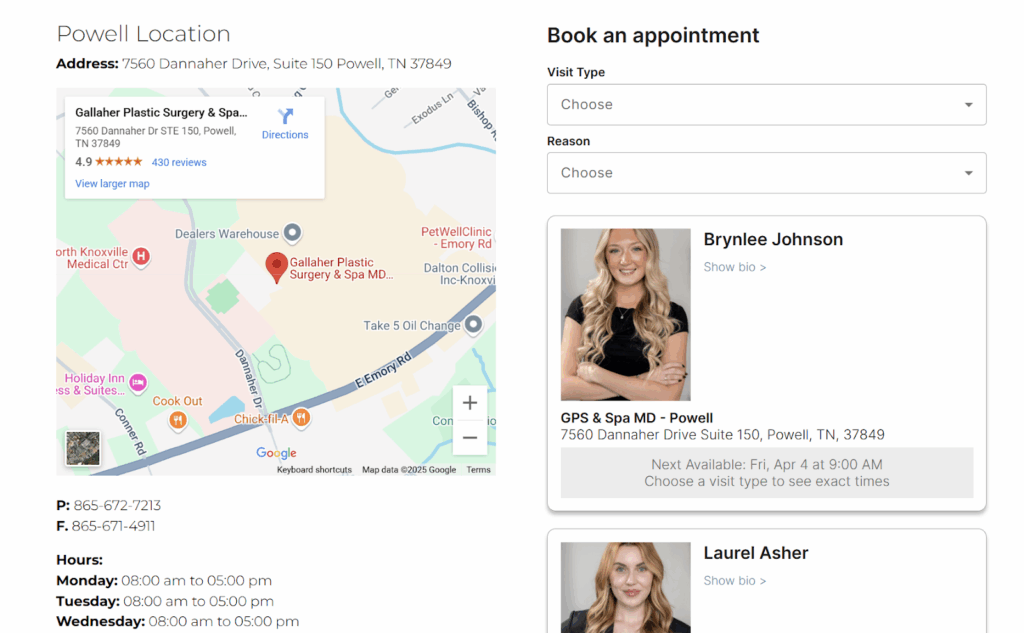
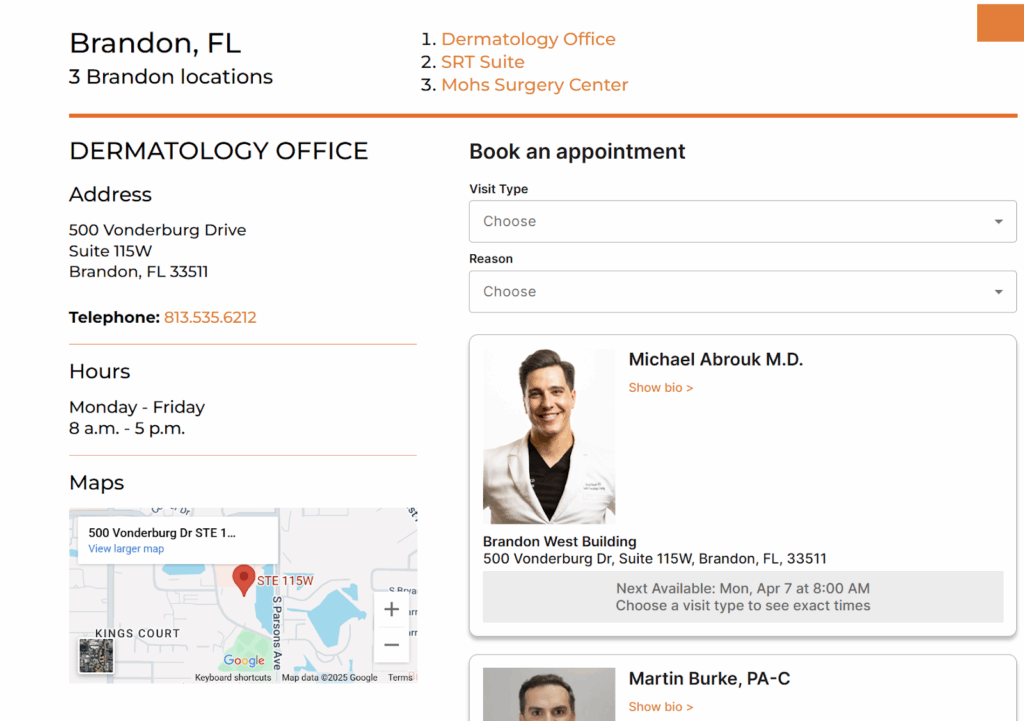
Location Pages
- Pre-select the specific location in the widget
- Show only procedures available at that location
- Display availability for all providers at the location
- Include “First Available” option within location
Universal Implementation Guidelines
Call-to-Action (CTA)
- Maintain consistent CTA language across all pages
-
Recommended CTA options:
- “Schedule Now”
- “Schedule Today”
- “Schedule Online”
- Use clear, action-oriented language
- Ensure CTA stands out visually from surrounding content
Placement Best Practices
- Position widget prominently in the upper portion of the page
- Never place at bottom of page
- Ensure consistent placement across similar page types
- Maintain high visibility without overwhelming other content
- Consider placement in right-hand sidebar for desktop views
- For mobile, position widget after crucial introductory content
Visual Design
- Use contrasting colors to make widget stand out
- Maintain adequate white space around widget
- Ensure text is easily readable
- Make interactive elements obviously clickable
User Experience Considerations
- Minimize required clicks based on page context
- Ensure widget loads quickly
- Provide clear error messages if needed
- Provide clear error messages if needed
- Maintain ADA compliance for accessibility
Remember that the goal is to make scheduling as seamless as possible while maintaining consistency across the website. Regular monitoring and optimization of the widget’s performance will help ensure it continues to meet both patient and practice needs effectively.